![logo.png]](https://knowledge.reejig.com/hs-fs/hubfs/logo.png?height=40&name=logo.png)
Configuring Automatic Nudging
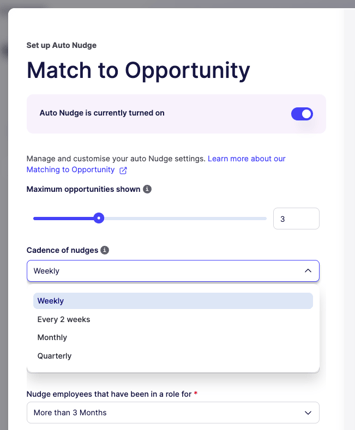
Setting up Automatic Nudging is a breeze. You have the flexibility to customize the maximum number of opportunities shown or matches made, as well as the cadence at which you want to send the nudges. Whether you choose a weekly, fortnightly, monthly, or quarterly schedule, please note that all nudges are sent on Tuesdays at 11 a.m. AEST.
Tailoring Nudging Criteria
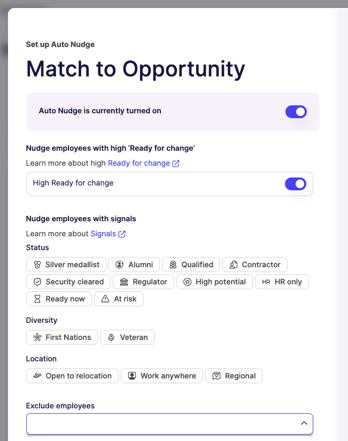
Reejig provides additional options for administrators to fine-tune the Automatic Nudging feature. You can exclude certain opportunities, such as executive roles, to ensure that employees are targeted with the most relevant opportunities. Additionally, you can support business processes by only nudging employees who have been enrolled for a specific period, such as more than 3, 6, 12, or 18 months. Administrators can also choose to nudge employees who exhibit a high "ready for change" score, further refining the talent matching process.
Signal Selection
In the signals section, administrators can select as many relevant signals as needed. These signals work in conjunction with the settings mentioned above and must be met entirely as stated. This ensures that employees receive notifications for opportunities that align with their skills and preferences, maximizing the effectiveness of the Automatic Nudging feature.
Customizing Nudging Preferences
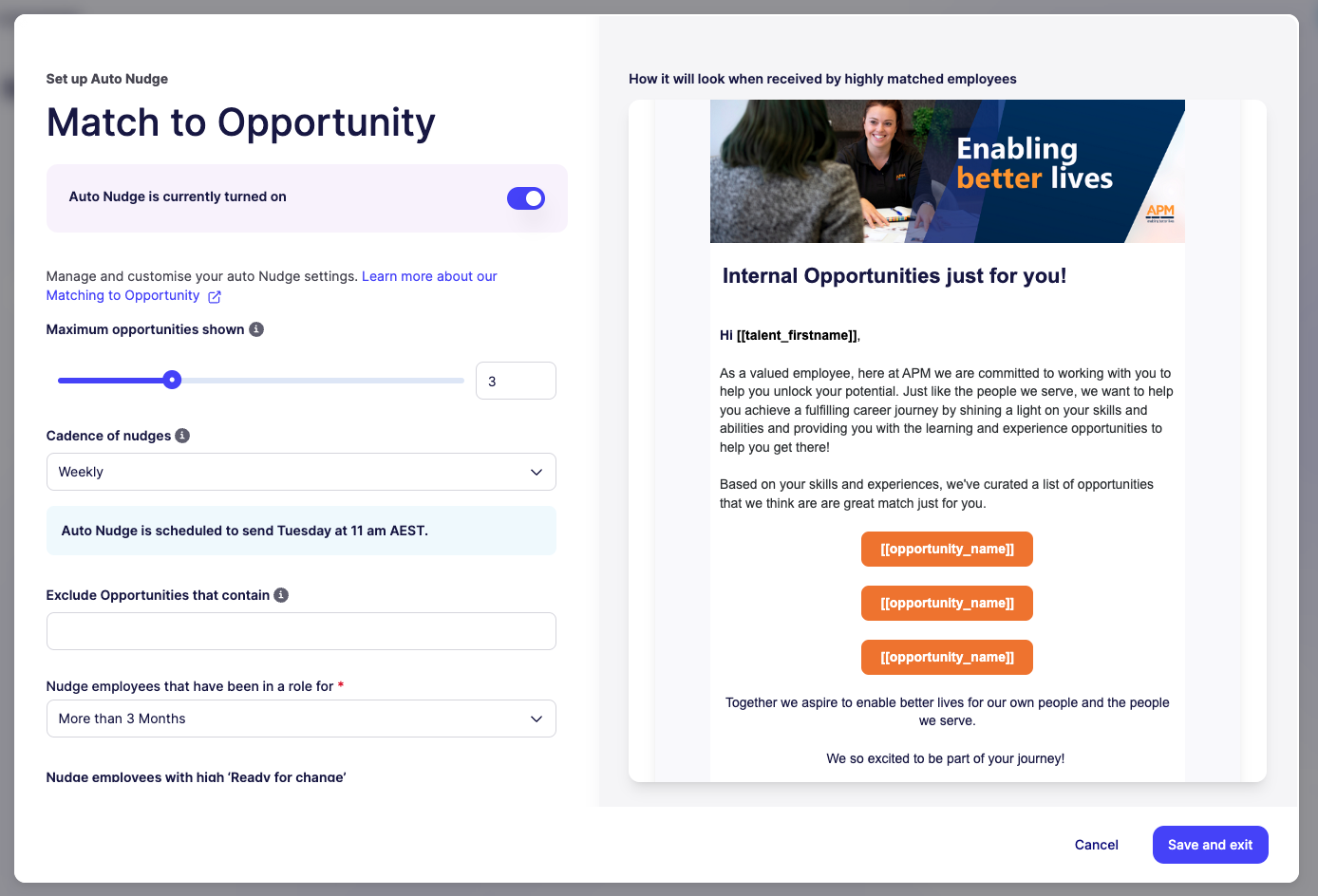
Reejig allows administrators to configure who receives nudges and tailor the "from" section at the bottom of the email. This level of customization ensures that nudges feel personalized and align with your organization's branding and communication style.
Enabling Automatic Nudging
Please note that the Automatic Nudging feature can be turned off and on at any time. If you wish to activate it again, simply create another auto nudge and utilize your previously configured settings. You also have the flexibility to update your settings to align with evolving talent matching requirements.
In conclusion, Reejig's Automatic Nudging feature empowers organizations to automate and optimize employee notifications effortlessly. By configuring the maximum number of opportunities, cadence, exclusions, and signals, you can ensure that employees receive targeted notifications for roles that match their skills and preferences. Embrace the power of Automatic Nudging in Reejig to streamline talent matching and create a more engaging and efficient opportunity marketplace for your employees.
If you have any further questions or need assistance, please consult our detailed user guide or reach out to our support team.